close
close






A Guide to Smarter Conference Rooms
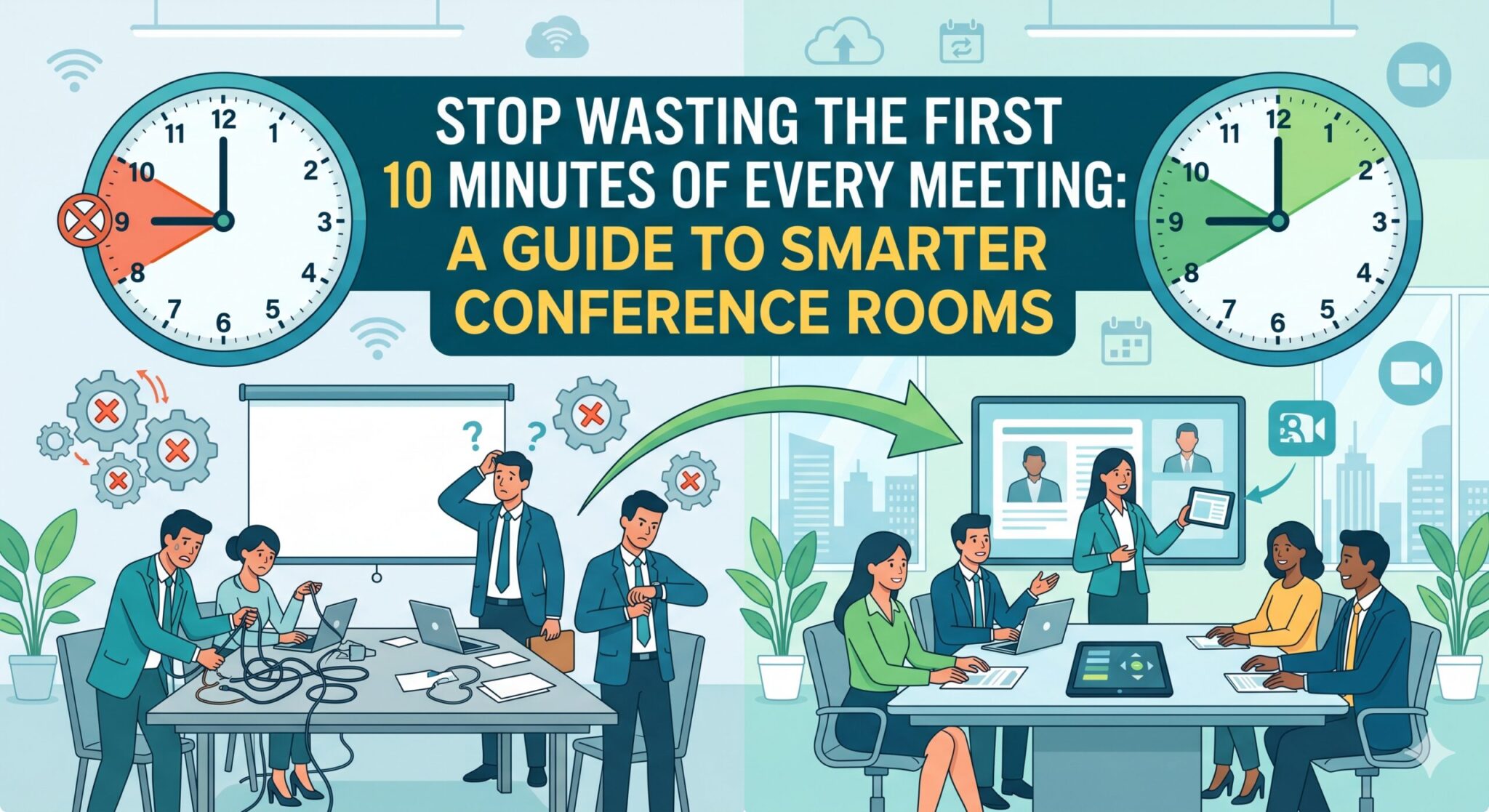
A conference room can either sharpen a meeting or quietly derail it. Most businesses have felt both sides of that equation. One room launches a client call in seconds, voices sound clear, and remote attendees stay engaged. Another room turns a simple meeting into a five-minute scramble with mute issues, poor camera angles, echo, and a login screen nobody expected. When small to large organizations evaluate video conferencing tools, that difference matters more than any feature list.
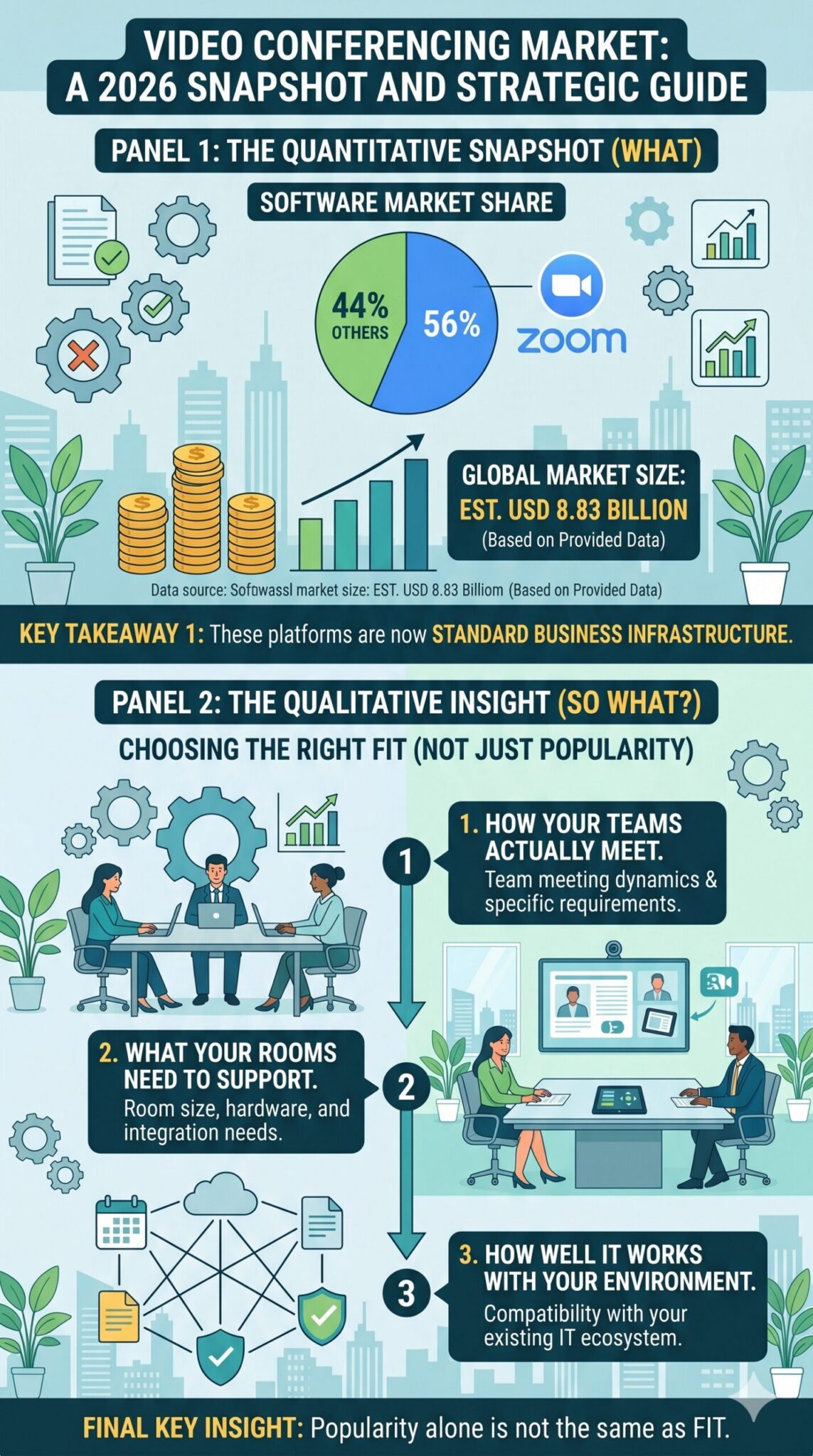
The market itself reflects how central this has become. According to 2026 industry data, the global video conferencing market has grown to an estimated $8.83 billion, with Zoom continuing to hold a dominant 56% share of the software market. That tells you two things. First, these platforms are now standard business infrastructure. Second, popularity alone is not the same as fit. The right choice for your business depends on how your teams actually meet, what your rooms need to support, and how well the platform works with the rest of your environment.
The Right Platform Starts with the Way Your Business Meets
Small to large organizations often begin by comparing names like Zoom, Microsoft Teams, and Google Meet. That is a reasonable starting point, but it is not the full decision. Good conference room planning starts with a more useful question: what kinds of meetings happen in your business every day?
Some teams need formal client-facing presentations in medium or large conference rooms. Others need quick internal check-ins from huddle spaces. Some businesses rely heavily on Microsoft 365 and want meeting workflows closely tied to calendars, chat, file sharing, and collaboration. Others prioritize ease of joining external calls with vendors, customers, or partners using different platforms.
That is where video conferencing tools should be judged less by brand familiarity and more by workflow alignment. If your users live in Outlook, Teams, SharePoint, and related business collaboration tools, a room setup that supports that ecosystem can remove friction from daily operations. If your meetings are frequently cross-organizational, flexibility and interoperability may carry more weight. A business that hosts frequent client demos may care deeply about display quality, framing, and simple guest access. A business focused on internal coordination may prioritize scheduling, device consistency, and user adoption.
This is also why meeting tools for small to large organizations should never be evaluated in isolation from the room itself. The platform and the room experience are tied together.
Conference Rooms Change the Decision
A small huddle space and a twelve-seat boardroom do not ask the same things of your technology. Room size, table layout, ceiling height, wall materials, background noise, and display placement all influence how well video conferencing software performs in practice.
Audio is usually the first point of failure. A sharp camera does not rescue a meeting if half the room sounds distant or if remote attendees hear a constant echo. Microphone pickup range, speaker placement, and room acoustics shape whether a call feels smooth or frustrating. Video matters too, especially when businesses want meetings to feel professional rather than improvised. A poorly placed camera can make participants appear disconnected, poorly framed, or difficult to see. The bigger the room, the less forgiving those issues become.
That is why businesses planning AV setups for small to large organizational environments should consider the full meeting chain: camera, microphones, speakers, display size, control interface, network reliability, and how quickly users can start a meeting without calling IT. A polished room is not built around one device. It is built around the full user experience.
For businesses reviewing conference room systems, this is often the point where the conversation becomes more strategic. The goal is not simply to install hardware. It is to make the room work consistently for the people who use it.
Ease of Use Matters More Than Many Organizations Expect
A conference room may look impressive on paper and still fail if nobody enjoys using it. That is one reason usability should be part of every conference tech decision for small to large organizations.
People want meetings to start fast. They want the room to connect without guesswork. They want a simple control interface, reliable audio, and the confidence that guests can join without a technical detour. When those basics are missing, employees start working around the room instead of using them. They bring in laptops, improvise audio, or avoid the room altogether. At that point, even expensive conference solutions are not delivering real business value.
This becomes even more important in a hybrid workplace environment, where conference rooms are expected to connect in-office staff with remote participants smoothly and professionally. Remote attendees should not feel like they are listening through a hallway speaker while trying to catch fragmented comments from the far end of a table. A strong conference room setup gives remote participants a clear seat at the table.
We often remind clients that the best conference room technology is not the system with the longest spec sheet. It is the one your staff can use confidently every day.
The Platform Does Not Always Cause the Common Problems
When businesses experience poor meetings, the instinct is often to blame the platform. Sometimes that is fair. Often, it is not.
A global survey cited by Scoop Market US found that 58% of professionals identified software or technical issues as the most common challenge in video conferences. That number is telling because it points to a broader reality. Many meeting problems come from the environment around the platform, not just the platform itself.
Weak network performance, outdated room hardware, poor wireless coverage, inconsistent firmware, low-quality peripherals, and messy user workflows can all undermine video meeting experiences. A business may choose excellent video conferencing software and still experience dropped audio, lag, poor synchronization, or difficult room launches if the surrounding infrastructure is not ready.
That is why AV services should go beyond simply recommending a license. They should address room design, network readiness, hardware compatibility, platform configuration, and user training. Businesses do not need disconnected purchases. They need systems that work together.
Integration is What Turns a Good Tool into a Good Business Fit
A conferencing platform becomes more valuable when it works naturally with the rest of your technology stack. This is especially true for small to large organizations trying to simplify internal workflows rather than add another stand-alone tool.
If your meetings connect to calendars, document sharing, chat, whiteboarding, and project coordination, the room becomes part of a broader collaboration environment. That is why business collaboration tools matter in this conversation. Conferencing is not only about the live call. It is also about what happens before and after the meeting: invitations, file access, notes, follow-ups, recordings, and team coordination.
For businesses already investing in Microsoft 365 consulting, it often makes sense to evaluate room platforms with that broader environment in mind. Integration can improve scheduling, simplify meeting launches, and reduce friction for teams already working in Microsoft’s tools. In the same way, businesses using other ecosystems should weigh how well the platform supports their current workflows rather than forcing employees into awkward workarounds.
Strong meeting tools for small to large organizations help people collaborate. Great ones fit the business so well that employees stop thinking about the technology.
Choosing Well Now Saves Money and Frustration Later
Many small to large organizations approach conference room planning with an understandable focus on price. Budget matters. But the cheapest route upfront can become the expensive one if the room underperforms, adoption stays low, or the system needs frequent fixes.
That is why AV setup planning for small to large organizations should account for long-term usability, scalability, and support. Will the room still work well if your business grows? Can it handle different meeting platforms when needed? Is the hardware appropriate for the room size? Will employees need constant help to launch meetings? Can remote and in-person participants collaborate naturally?
These questions matter in any market, but especially for organizations supporting a hybrid workplace model, where office space, remote work, and client expectations all intersect. Conference rooms must do more than connect calls. They need to support productivity, professionalism, and consistency.
This is where thoughtful conference solutions and AV services make a difference. We help small to large organizations assess room needs, compare platforms with real business use in mind, and build dependable environments that support both in-office and hybrid work. That includes everything from evaluating video conferencing tools and room hardware to improving the full video meeting experience.
Choosing the right platform is really about choosing the right experience for your people, your rooms, and your workflow. If your business is reviewing conference tech for small to large organizations, comparing video conferencing software, or trying to improve how your conference rooms support modern business collaboration tools, contact us to start a smarter conversation. We can help you evaluate what is working, identify what is not, and build a conferencing environment that feels easier, clearer, and more effective every time a meeting begins.